Change Unit Type
The Change Unit Type feature allows any Composer-based DSP hardware to be changed to any other Composer-based DSP hardware. Right-click a DSP from the Site View page and select Change Unit Type.
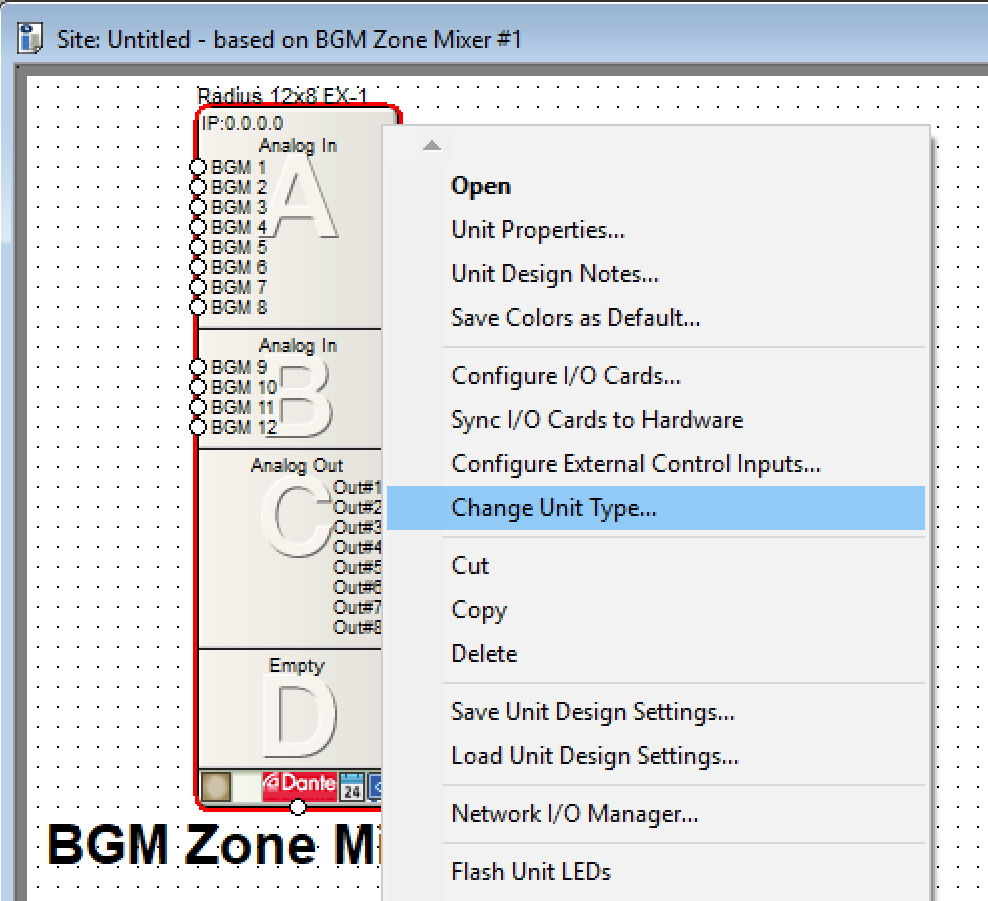
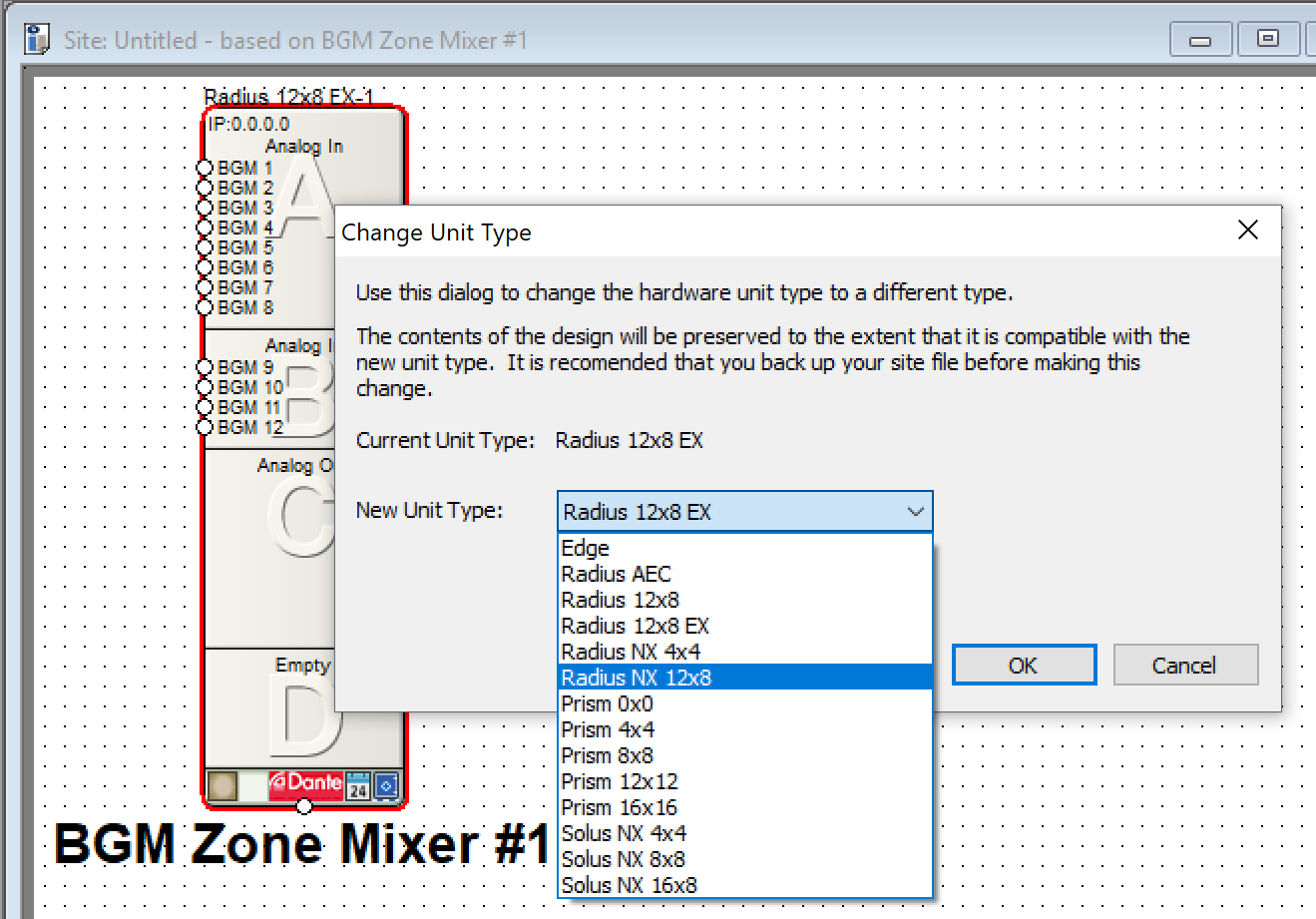
Note: Once a DSP has been converted, the action can be undone if Composer is configured to allow undo in the Application Preferences menu. However, due to the complexity of the operation, a change might occur that will alter something that CANNOT be restored or recovered. Therefore, creating a backup is recommended before changing any unit type.
When changing a unit type, the feature does not change the unit’s ID, rather, it creates a new unit and copies in the applicable data from the previous unit, then it deletes the old unit. Every item in the old design is inspected and if it is an item that can be copy/pasted, or if it is a specific type of item that will be specially handled, it will be copied to the new unit type. Special items have their relevant content copied to the equivalent item in the new unit’s design. The new design is checked for consistency, then the old unit is deleted.
Most preset and control assignment data is included in the items that can be copy/pasted, as long as they are not assigned to any items that are part of the physical DSP I/O. This includes SymVue and custom control screen interfaces.
Certain features cannot be copied to the new unit type. These include:
- Configured expansion cards.
- Assignments, settings, presets or current state of any built in or card based I/O.
- Any diagnostic module assignments, presets or settings.
- Any analog control input configuration.
- Any remote-control port configuration.
- Any web access settings.
- Unit name or automatic network name settings.
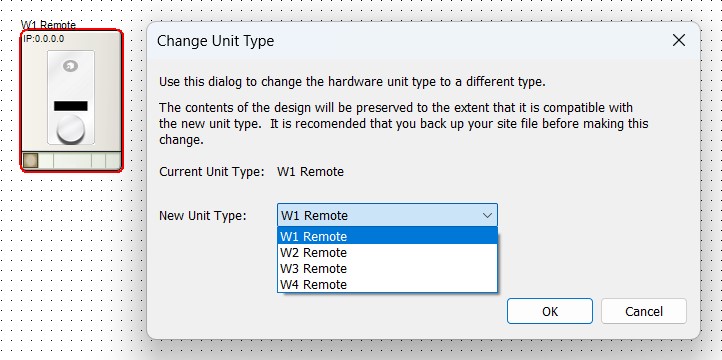
Similarly, T-Series and W Series can be changed to other unit types in the same family.
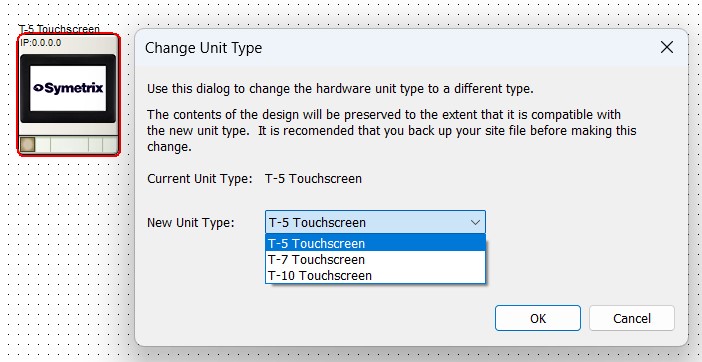
T-10 and T-7 devices have a different scale for brightness (idle and active) than T-5 devices. Therefore, when changing between T-Series unit types, the idle and active brightness settings are returned to their default. All other settings are maintained.
For W-Series devices, changing the unit type takes into account that different devices have different menu configuration options and content. If a W-Series menu is present that is not available in the new type, the configuration is preserved, it is just not visible. If the unit type is converted back, it is again visible.