Settings Library File Manager
Settings Files are used to transfer entire unit or DSP module settings from one unit / DSP module to the next. The Setting Library File Manager manages the settings that reside on your computer and under the Settings Library in the Toolkit. Settings Files are stored as a part of a Composer Site File or outside of Composer in a user-specified location.
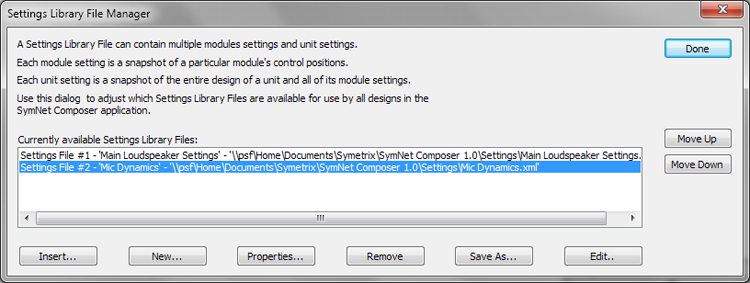
From the Settings File Manager, you can Insert Settings Files into the current Site File or create New Settings Files to be inserted into the current Site File and saved on the hard drive for use by other Site Files. Properties allows the renaming of Settings Files. Remove will delete them from the Site File, but not your hard drive. Save As allows you to make a copy of a Settings File with a new name and Edit will display the DSP Module and/or Design settings stored within that Settings File.
Settings from Settings Files can be loaded into a unit (as a design) or into DSP modules (as parameters) via the Right-click Menu or Edit Menu.