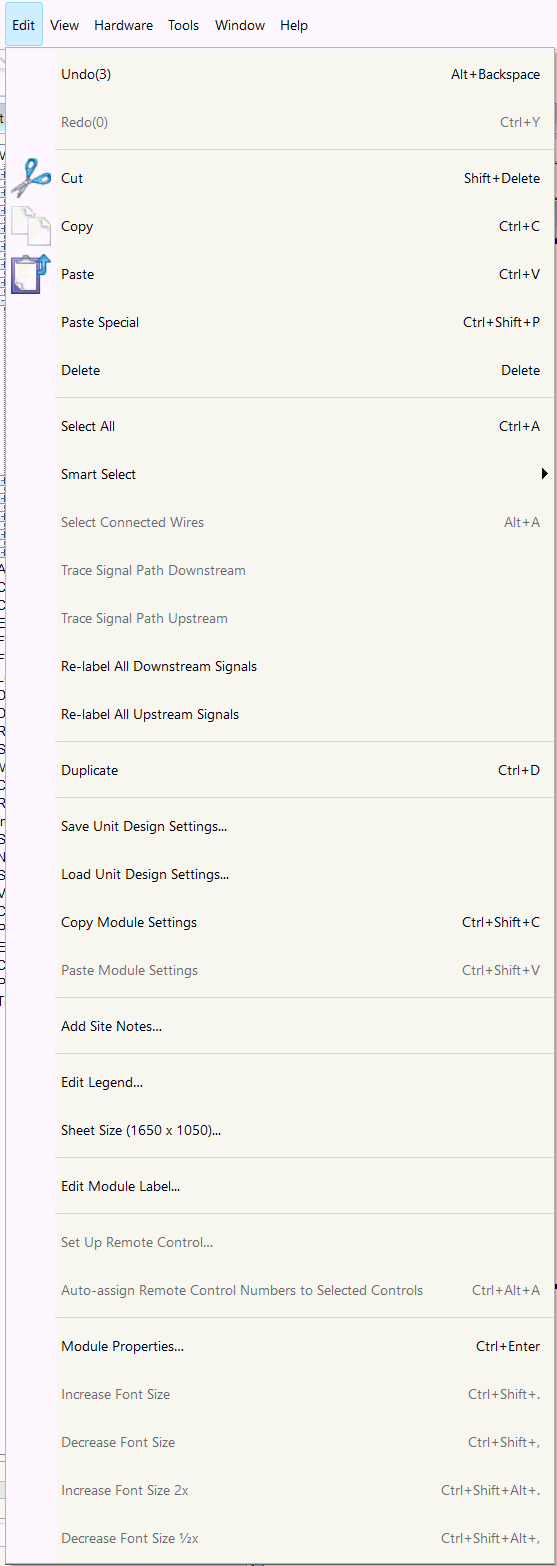
Edit Menu
The Edit menu handles the standard Windows functions that include Cut, Copy and Paste as well as some editing options specific to Composer.
- Undo - Reverses the previous editing operation.
- Redo - Reverses the previous Undo operation.
- Cut - Deletes data from the document and moves it to the clipboard.
- Copy - Copies data from the document to the clipboard.
- Paste - Pastes data from the clipboard into the document.
- Paste Special
- Delete - Deletes the selected components, wires, external devices, pictures, and text in the active window.
- Select All - Selects all components, wires, external devices, pictures, and text in the active window.
- Smart Select Mode
- Select Connected Wires - Selects all wires directly connected to the currently selected wire.
- Trace Signal Path Downstream - Highlights the downstream path of the selected bus wire.
- Trace Signal Path Upstream - Highlights the upstream path of the selected bus wire.
- Re-label All Downstream Signals - Re-labels all relevant downstream labels to match the output of the selected module.
- Re-label All Upstream Signals - Re-labels all relevant upstream labels to match the input of the selected module.
- Duplicate - Duplicates and pastes the selected components, wires, external devices, pictures, and text in the active window.
- Save Unit Design Settings
- Load Unit Design Settings
- Copy Module Settings - Copies all module settings of the selected module.
- Paste Module Settings - Pastes module settings.
- Set Up Remote Control
- Auto-assign Remote Control Numbers to Selected Controls - Automatically assigns remote control numbers to the selected faders in the currently viewed module.
- Properties - Will open the Selection Properties dialog of all items currently selected.
- Increase Font Size - Increases the font size of the selected control item(s) 10%
- Decrease Font Size - Decreases the font size of the selected control item(s) 10%
- Increase Font Size 2x - Increases the font size of the selected control item(s) 100%
- Decrease Font Size 1/2x - Decreases the font size of the selected control item(s) 50%