Search Bar
 The Search Bar allows for plain text search of nearly any object in the Site File including notes.
Enter your search string into the Search field and the results will show up in the pull down list to the right. You may open one of the found results or simply show it (highlighted with in red) in the Site or Design View by clicking on the appropriate buttons far right.
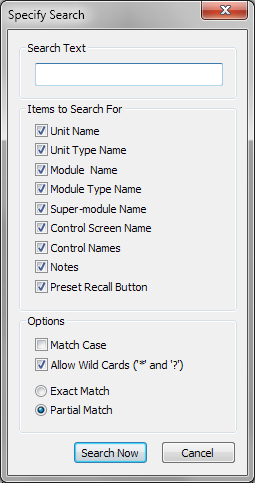 Clicking on the ">" button brings up the Specify Search dialog where you can select the specific items to search for as well as various options for searching.