Visionary Solutions
A Visionary Solutions Duet 4K-Encoder or Duet 4K-Decoder can placed in the Site View from the Toolkit.
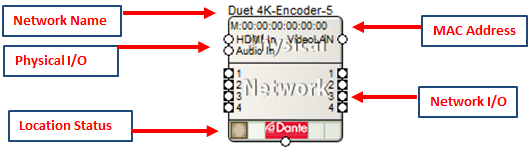
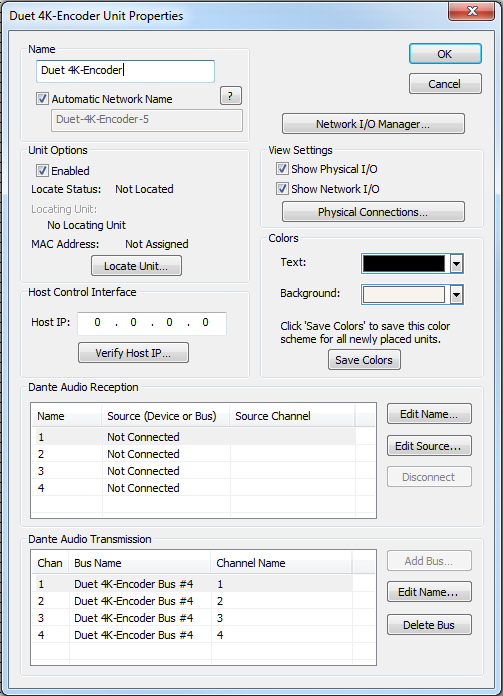
All of the following features are managed in the Unit Properties dialog. To access the Unit Properties, right-click on the unit module in the Site View and choose “Unit Properties...”
-
Name- It is recommended to assign a unique unit name for each unit in the design based on the unit's purpose or location. Composer will always append a unique numeric identifier to this name.
-
Network Name- When Automatic Network Name is checked, the network name is auto-generated from the unit name. Network names cannot contain special characters or spaces and must be unique.
-
Enabled- When the enabled box is checked, the unit must be physically present on the network for a Push of the site file to the hardware. When the enabled box is unchecked, a X will appear on the unit module in the Site View, and the unit will not be required to be physically present for the Push of the site file.
-
Locate Unit...- Opens the 'Locate Hardware' dialog box to select the unit to connect to.
-
Host IP- The Host IP of the Visionary Solutions device, can be verified with the Verify Host IP... button.
-
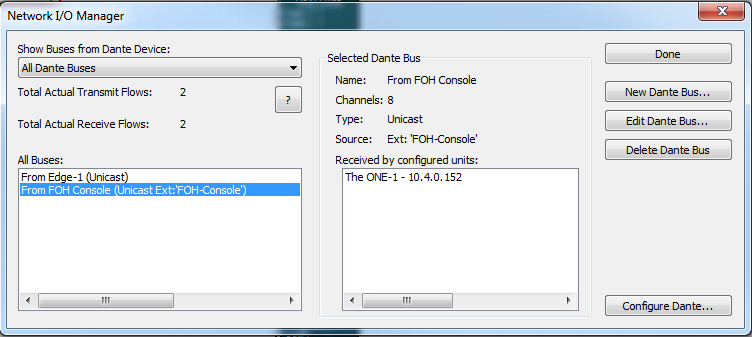
Network I/O Manager -Opens the Network I/O Manager dialog. Click here to access instructions on how to program Network Transmit and Receive Buses.
-
View Settings- When either Show Physical I/O or Show Network I/O check box is checked, the unit module in the Site View will show the corresponding connections.
-
Physical Connections...- Opens the Edit Physical Connections dialog.
- Colors -The text color and background color for the unit module can be customized. To save custom color settings made here as defaults for future units, click the Save Colors button.
Duet 4K-Encoder/Decoder module views
The Visionary Solutions Duet 4K-Encoder and Decoder each have their own module view within Composer to control their functionality and view a video stream preview. The video stream previews update approximately once every second and can be copied to control screens and exported to SymVue.
Duet 4K-Encoder module
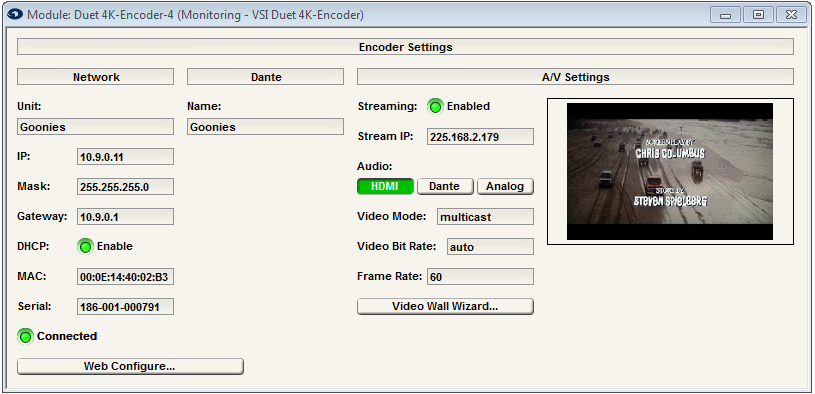
- Web Configuration...- Launches the PC's default web browser, directing it to the encoder's web interface.
- Audio: - Selects which audio source will be sent over the AV over IP stream.
- Video Wall Wizard...- Launches the VSI Decoder Wall Wizard.
Duet 4K-Decoder module
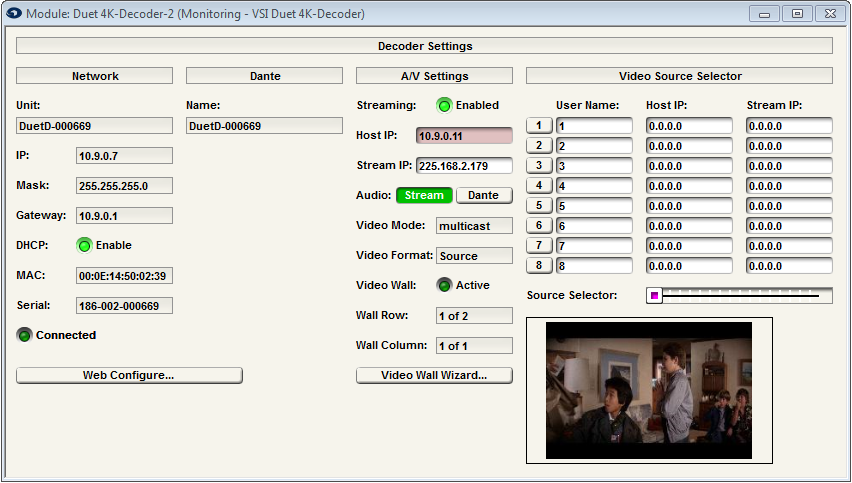
- Web Configuration...- Launches the PC's default web browser, directing it to the decoder's web interface.
- Audio: - Selects what audio is sent out of the HDMI output.
- Video Wall Wizard...- Launches the VSI Decoder Wall Wizard.
- Video Source Selector- This section allows for multiple encoder sources to be stored and recalled in Composer or through remote control. The number of sources is set within the decoder's unit properties dialog and can range from 1-64.