ARC-3 Installation
Overview
The ARC-3 is a menu-driven remote control with thirty-two menus, each menu with up to thirty-two items used to control basic audio functions or complex logic-based events including volume, preset selection, source selection, room combining, and more. The white on black OLED display is graphics and multi-lingual capable with 256x64 pixel resolution to enhance readability and usability. A contemporary capacitive touch interface with LED highlighting provides users with instant operational feedback.
Navigation: Menus are navigated using left and right arrow buttons. The left arrow also functions as cancel and the right as confirmation for menus requiring it. The plus/minus track adjusts parameter settings and scrolls through source or preset lists. These may also be adjusted quickly by moving your finder up and down the slider track.
Behavior: Display and LED brightness is installer configurable. An ambient light sensor automatically adjusts brightness while a proximity sensor wakes up the ARC-3 when a user approaches. When idle, the ARC-3 can display a message, return to the top of its menu tree, display a logo, or show the current date and time. Programmable upper and lower parameter limits contain ranges of adjustment and an optional PIN code prevents tampering.
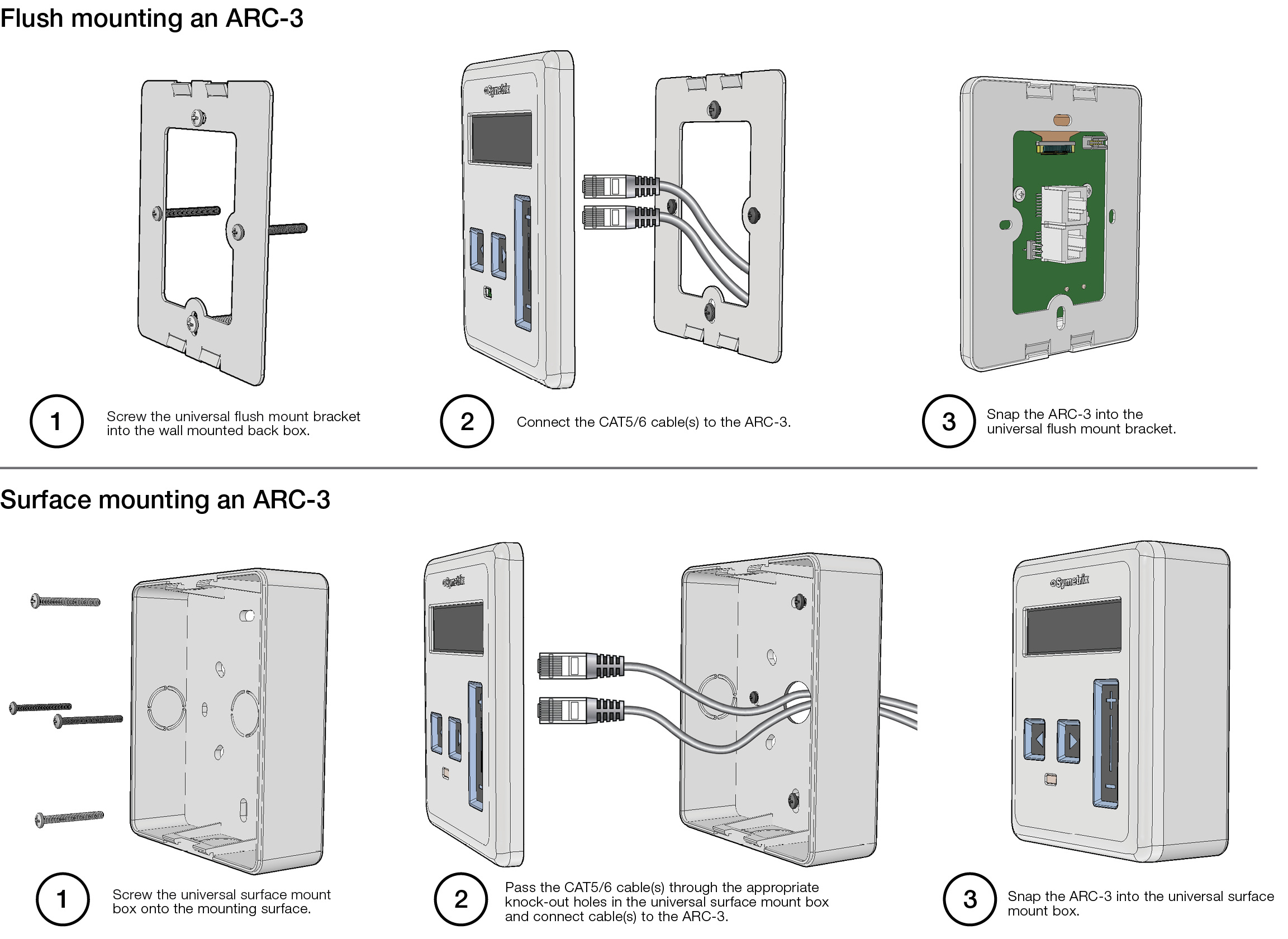
Universal mounting:
1) Flush mount in a single gang in-wall electrical box (US or EU/UK).
2) Surface mount with mating to a single gang in-wall electrical box (US or EU/UK). Sold as a single SKU – surface mount box and flush mount adapter flange included.
Features
- Surface mount or in-wall mounting using US or EU/UK single gang boxes.
- Bright, crisp, high-resolution OLED graphic display enhances readability.
- Proximity and ambient light sensors automatically control idle, wake, and sleep states.
- Capacitive touch controls with LED feedback enhance the user experience.
- 32 enumerated or continuous menus support multi-lingual character sets and icons, custom fonts and images.
Specifications
Field-Upgradeable Firmware: Yes
Number of Menus: 32
Enumerations per Menu: 32
Menu Range Limits: Yes
Maximum Characters per Menu Name: Depends upon language, font, or image used.
Maximum Number of Images: 1058
Maximum Operating Voltage: 30 VDC
ARC-3 Anatomy
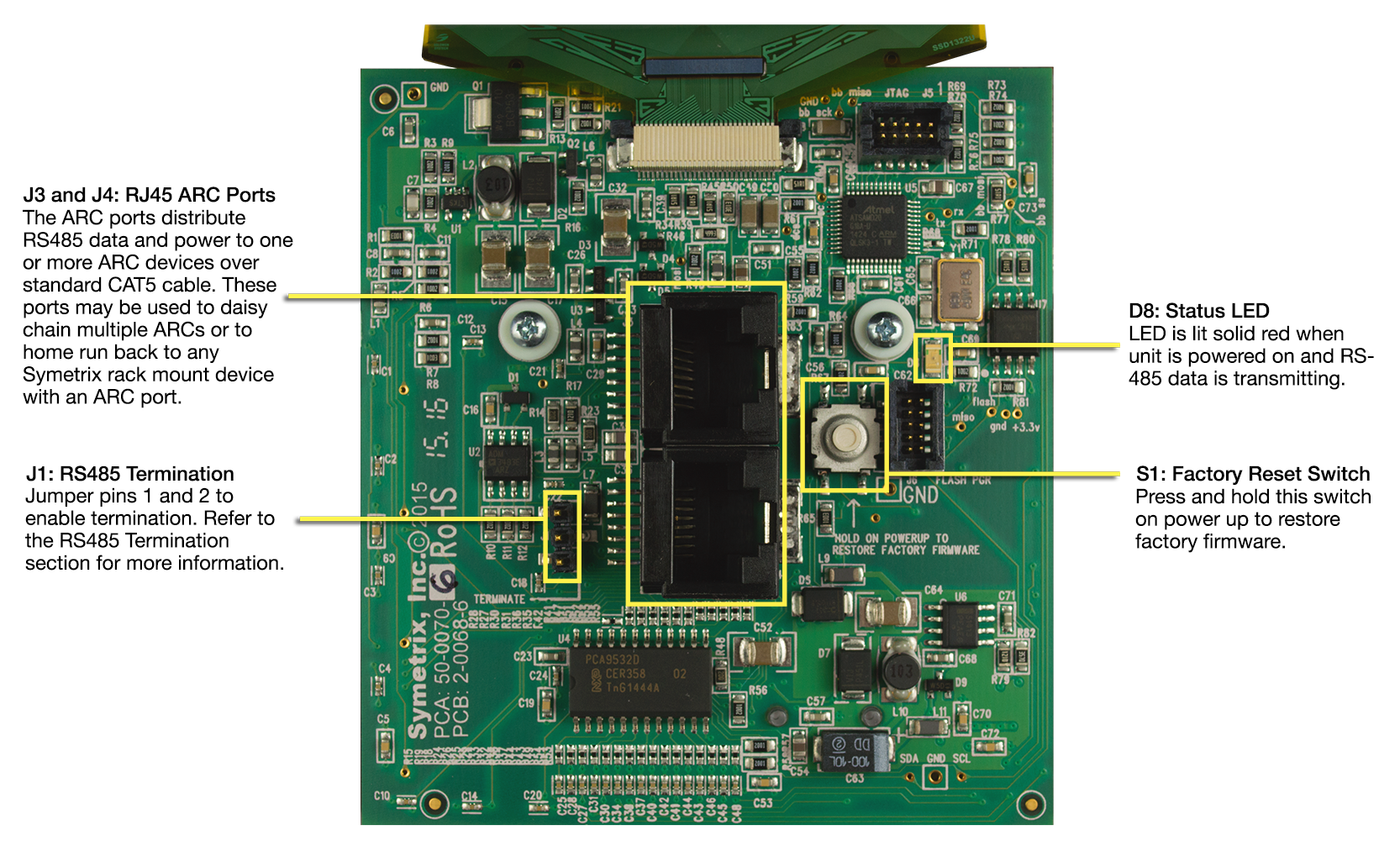
The anatomy of the ARC-3 is outlined below:
System Connection
ARCs connect to the system via an RS-485 bus. This is typically via a single CAT5 cable that carries both RS-485 data and power. For full information, refer to the ARC Network Design topic.
RS-485 Termination
The ARC Wall Panels feature an RS-485 termination jumper. Jumper J1 left centered on an ARC-3 board enables and disables termination. Jumping pins 1 and 2 = terminated. For maximum signal integrity, it is advisable to terminate the last ARC device in the chain if the total length of the chain is over 200 feet.
*Note: Never terminate a single RS-485 bus at more than two devices.
Device Addressing
Every RS-485 device connected to the same RS-485 bus must be uniquely identified. The ARC-3 device address is displayed upon initial power-on. It can be changed from the ARC-3 controls in the System Menu, accessible by simultaneously holding down the Left and Right keys, along with the +\ slider. Hold all three controls for approximately 3 seconds. This address must match the address in the Symetrix Composer “Edit ARC-3” Menu options under RS-485 Address in the Remote Control Manager.
Mounting Information
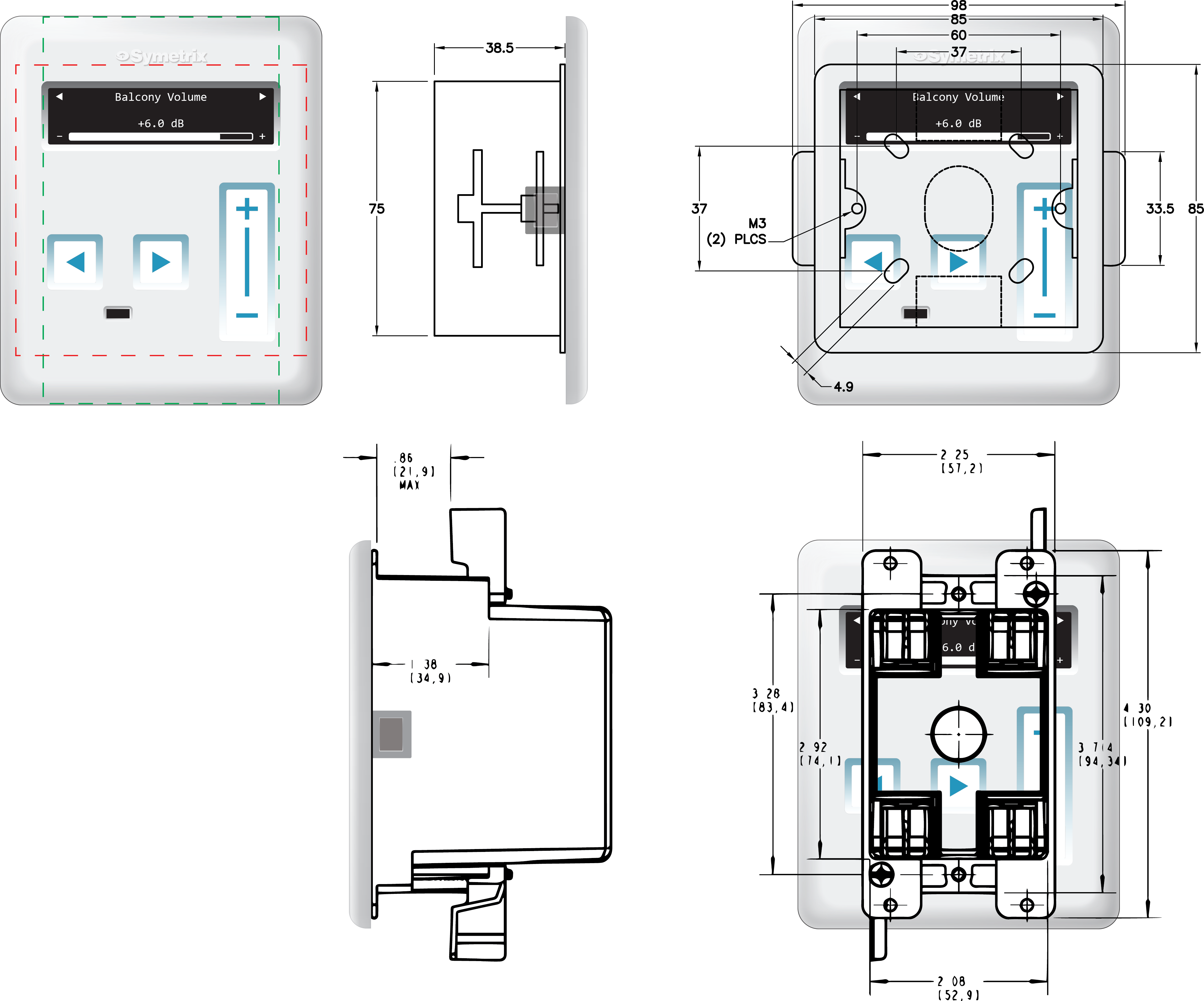
Standard 86 mm square wall plate outline shown in red, US 4.5” x 2.75” standard wall plate outline shown in
green. Typical flush mount plastic EU box shown on top, US plastic Carlon box on bottom.