Web Interface
Overview
The Web Interface is a web-based control, monitoring, and diagnostic tool for all Symetrix DSP units. It is accessible with any device that has a web browser. It displays the I/O and AEC meters, diagnostics for troubleshooting, and ARC-WEB Menus.
Access
To access the Web Interface:
1. Right Click any DSP in Site View.
2. Select Unit Properties...
3. Select Configure Web Access...
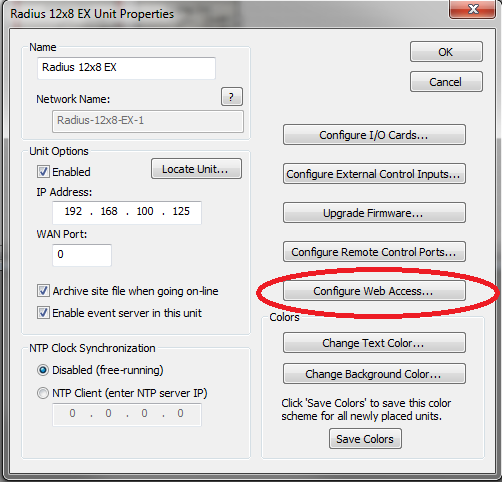
4. Select Launch Web Page...
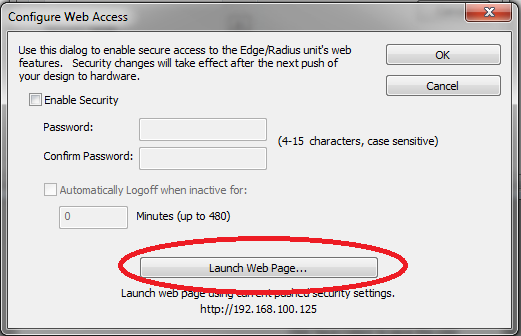
Or just type the IP address of the DSP into any device with a browser.
Security
You can enable password protection to access the Web Interface by:
1. Right Click any DSP in Site View.
2. Select Unit Properties...
3. Select Configure Web Access...
4. Check the "Enable Security" check box and type and confirm your password. You can also choose to automatically log off of the web interface when it's inactive for a specified amount of time here:
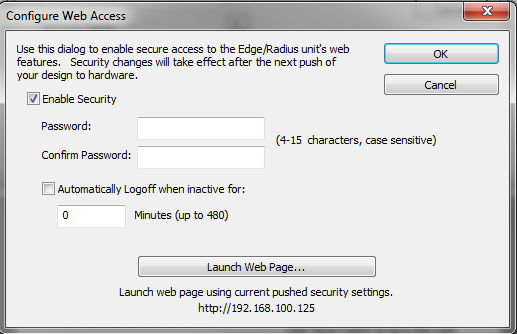
5. After you have configured the security settings, click OK and then click OK to close the properties, then push to the unit.
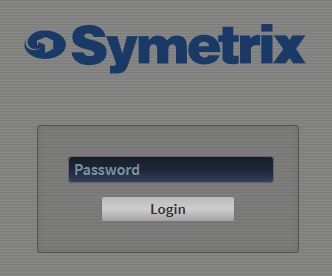
6. Launch the Web Interface.
- Enter the password and select "Login".
Home
The Web Interface opens up to the Home page by default. This page displays all configured ARC-WEBs. Click on an ARC-WEB instance to control it.

You can also navigate to the Meters and Diagnostics pages from the Menu button in the top right corner of the screen:
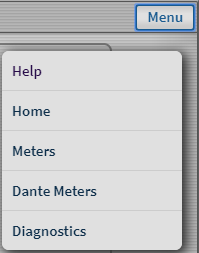
View the various help dialogs found in the Web Interface.
Meters
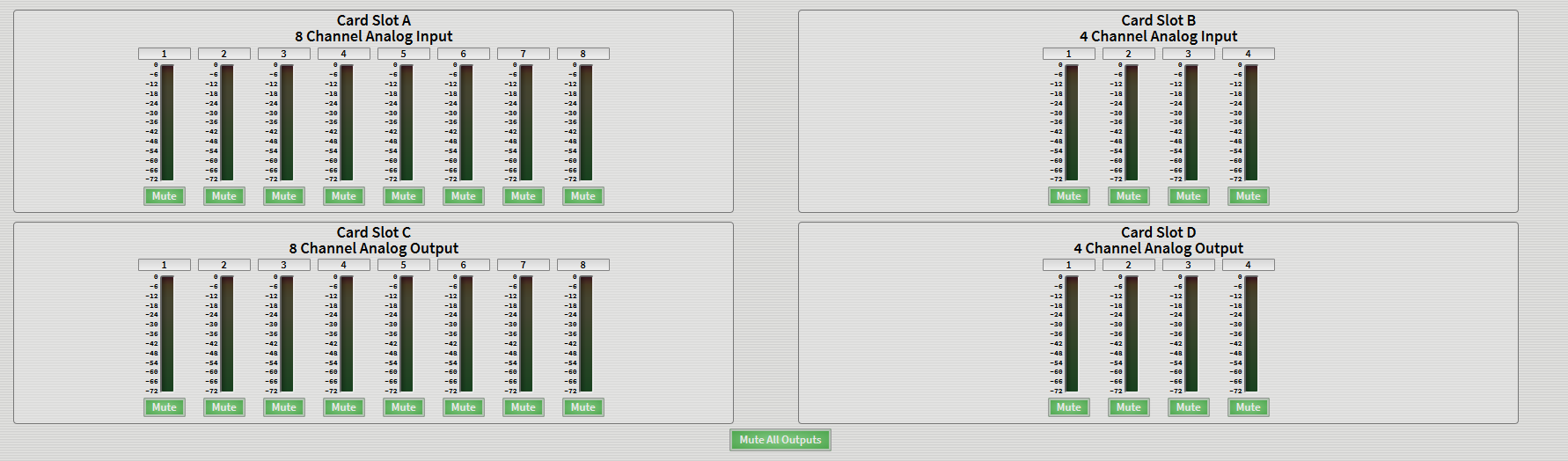
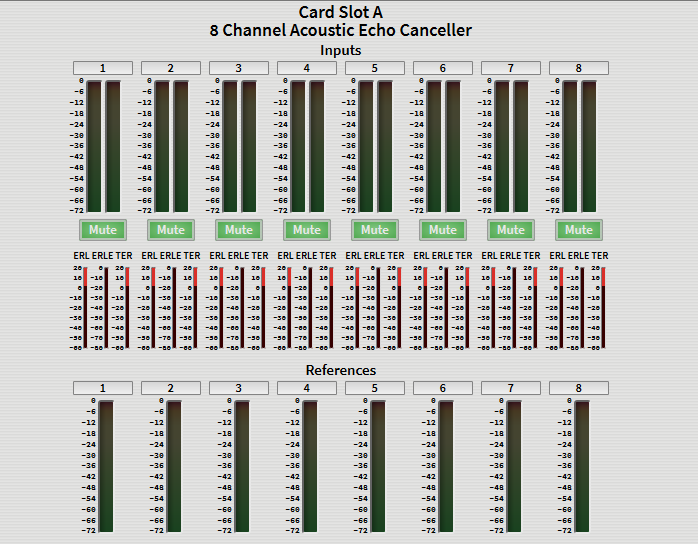
Displays the input and output meters for the unit and also display the Aux, Reference, ERl, ERLE, and TER meters for a Radius AEC or the 4 Channel AEC Input card.
Dante Meters
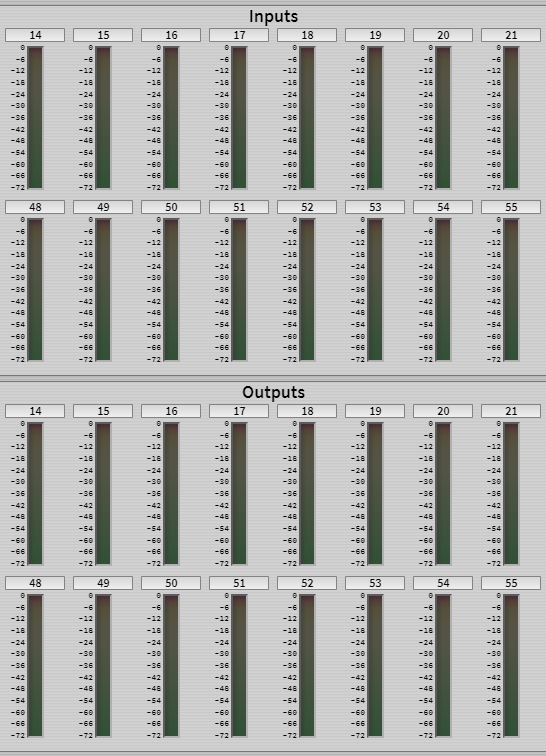
Displays the Dante input and output meters for the unit. If no Dante Card is installed, the Dante meters will show no activity.
Diagnostics
Displays unit diagnostics for troubleshooting. This page is updated automatically every 8 seconds.
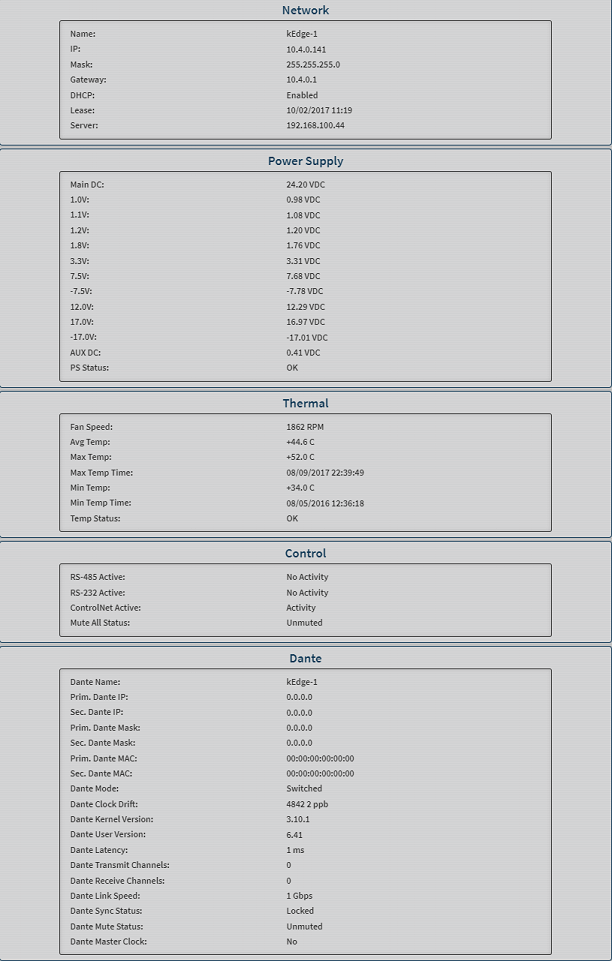
Network
Network Name: The name of the unit
IP: The unit's IP Address
Mask: The unit's Subnet Mask
Gateway: The unit's Default Gateway
DHCP: If DHCP is enabled, the LED will be lit green
Leased: Date and time of receiving lease
Server: IP Address of local server
Power Supply
Main DC: 24V
Aux DC In: 24V when the auxiliary power supply is plugged in (applies to Edge only)
P.S. Values: All other power supply rails will display their current voltage
Status: The red LED will be lit if the voltage rails swing beyond the tolerance window. For most voltages, this is+/- 5%.
Thermal
Fan Speed: RPM of the internal fan. The value will increase as the internal temperature rises
Temperature: Temperature of the motherboard
Max Temp: Maximum recorded temperature of the motherboard
Clear: Clears the reported temperature
Min Temp: Minimum recorded temperature of the motherboard
Clear: Clears the reported temperature
Avg Temp: Average recorded temperature of the motherboard
Status: The Failed LED will be lit red if the fan has stopped (0 RPM) or the internal temperature is greater than 158°F/70°C
Control
RS-485: This LED will be lit green when data is sent on the RS-485 port
RS-232: This LED will be lit green when data is sent on the RS-232 port
ControlNet: This LED will be lit green when data is sent on the ControlNet port
Mute All: This LED will be lit green when all unit outputs are muted
Dante
If no Dante Card is installed, the Dante section will display "\
Dante Name: The Dante network name for the unit
Prim. Dante IP: The IP address for the primary Dante port
Sec. Dante IP: The IP address for the secondary Dante port. This will be 0.0.0.0 if the unit is not in redundant mode
Prim. Dante Mask: The Subnet Mask for the primary Dante port
Sec. Dante Mask: The Subnet Mask for the secondary Dante port. This will be 0.0.0.0 if the unit is not in redundant mode
Prim. Dante MAC: The MAC address for the primary Dante port
Sec. Dante MAC: The MAC address for the secondary Dante port. This will be 00:00:00:00:00:00 if the unit is not in redundant mode
Dante Mode: If Dante is configured in Redundant mode, the LED will be lit green. Otherwise Dante is configured in Switched mode
Dante Clock Drift: The clock drift consists of 2 values. The first indicates the amount that the network sample clock differs from the internal clock of a device. This may be in the thousands. The second value indicates how much the first value is changing. It should generally be less than 100. If the unit is the clock master, these values aren’t relevant and it will show "MASTER".
Dante Kernel Ver: The version of the Dante firmware provided by Audinate
Dante User Ver: The version of the Dante firmware provided by Symetrix
Dante Latency: The network latency set for Dante traffic
Dante Transmit Channels: Number of Dante transmit channels configured for the unit
Dante Receive Channels: Number of Dante receive channels configured for the unit
Dante Link Speed: Indicates the speed the Dante card is connected to the network
Dante Sync Status: Indicates if the Synchronization status is locked
Dante Mute Status: Indicates the state of the Dante mute due to synchronization errors or other issues. This is not affected by the Composer’s mute features.
Dante Master Clock: Indicates if the unit is set as the master clock for the Dante network