Super-module Library Manager
The Super-module Library Manager lists all Super-modules in a Site File. Super-modules are created from the Design View Toolkit and may be imported from there as well or here in the Super-module Library Manager.
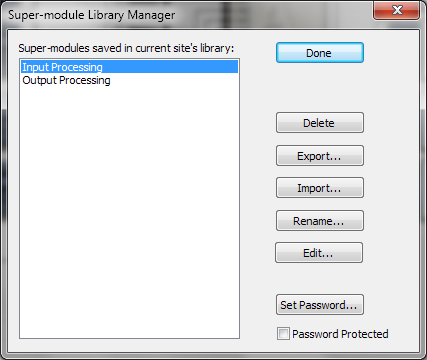
- Delete - Deletes the currently selected Super-module.
- Export... - Brings up a standard Windows File Save As dialog allowing you to select a name and location for the exported Super-module file.
- Import... - Brings up a standard Windows File Open dialog allowing you to select a Super-module file on disk to import into your Site File.
- Rename... - Brings up a dialog allowing you to rename the currently selected Super-module.
- Edit... - Edits the selected Super-module's Control Screen properties.
- Set Password... - Sets a password that will be required for viewing the selected Super-module. Once the password has been entered and confirmed, remember to check the Password Protected option below.
- Password Protected - Checking this option enabled password protection for the currently selected Super-module. Note that you must set a password before checking this option.