Super-module Library
The Super-module Library is used in conjunction with the Super-module Library Manager. A Super-module is a collection of modules brought together for a specific function and grouped within a single virtual module. Use Super-modules to make large designs more stream lined by placing processing sections or common functions of the Site File into one or more Super-modules. Super-modules can be saved and exported for use in future Site Files.
Super-modules may have their own Control Screens that travel with the Super-module through exports/imports. If a Super-module has a Control Screen, double-clicking it will open the Control Screen instead of the Design. The Design may be viewed by right-clicking on the Super-module and choosing Open Design (provided the Super-module is not password protected).
When viewing a Super-module's Design in Edit mode, Inputs and Outputs can be added by double clicking on Super-module Input or Super-module Output in the Toolkit and deleted by selecting the Input or Output and pressing the delete key on your keyboard or selecting Delete from the right-click menu.
Right-clicking on a Super-module Input or Output and choosing Super-module Input/Output Properties... brings up a dialog that allows labeling of the Input or Output and changing the Input or Output between Audio and Control Signal Types.
Be sure to look through the pre-designed Super-modules included with the Composer software installer. They can typically be found in your documents folder or at C:/Program Files (x86)/Symetrix/Composer 5.x/Super-modules.
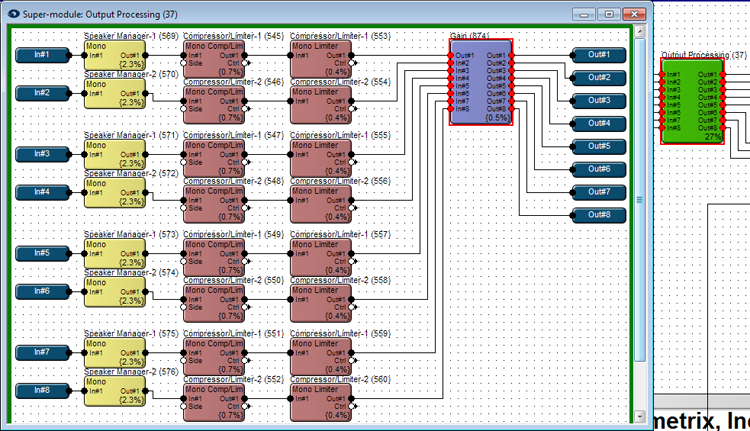
Example Super-module: