Control Modules Remote Monitoring
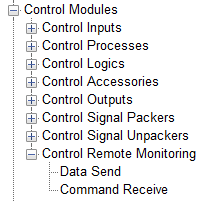
There are two control modules to send and receive custom remote monitoring to and from AV-Ops Center.
Data Send
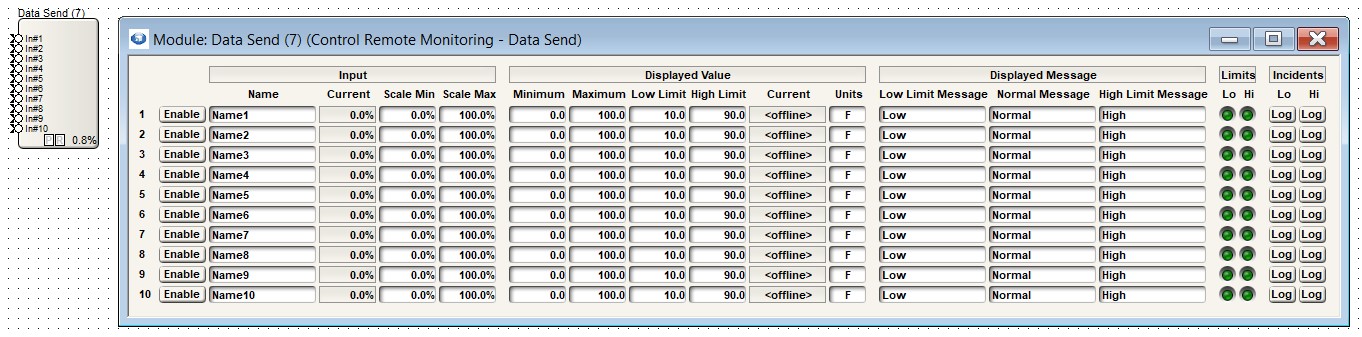
The Data Send modules allows sending of up to 10 sources of custom numeric (float) data up to AV-Ops center for remote monitoring. The data is sourced from the connected module input pins. It has the following fields:
-
Enable
-
- Enables the corresponding input data to be sent to AV-Ops Center. When disabled, it is not sent.
-
Input
-
- Name - A user editable name is provided for each channel. 31 characters max.
- Current - The module shows the current input value but internally keeps a min and max value over the slower reporting period to the remote monitoring server. The server prevents too frequent updates and so the software updates the server only every 10 seconds or so.
-
Sale Min/Max - The minimum and maximum scale values are adjustable. These allow entering the input values that will correspond to the minimum and maximum displayed values. In some applications it may be acceptable to leave these at their defaults of 0 and 100 respectively and just adjust the minimum and maximum displayed values to correspond to those extremes. But other applications may have inputs that don’t behave linearly outside of the input range or where values below or above certain values should be clamped.
-
Displayed Value
-
- Minimum/Maximum - A minimum and maximum displayed floating-point value can be entered to represent the actual signal value between the input scale limits. These fields are treated like strings and any value can be entered, but if they are not floating-point, they will be replaced with the text “Error” and the value cannot be sent to the server. Any valid floating value can be entered, no matter how small or large, to the limit of a 32-bit IEEE 754 representation.
-
Low/High Limit - A low and high limit floating-point value can be entered to represent the displayed values below and above of which would result in a limit flag and message being sent to the server. Like the displayed min/max, these are text strings that must be a valid floating-point number for the functionality to work. Any valid floating value can be entered, no matter how small or large, to the limit of a 32-bit IEEE 754 representation.
-
Current - The current displayed value that will be sent to the server is displayed. It updates at the frequency that the data is sent to the server. When offline, no values are sent and the field is replaced with “\
”be actual signal value between the input scale limits. -
Units - The units to be displayed at the end of the current value can be entered. Any string up to 31 characters is allowed. Every few seconds, the current and range of input values is evaluated, and limits queried. The most recent input value is used for the current displayed value, but the minimum received value in the period is used to test the lower limit and the maximum value received for the high limit. For this reason, both low and high limits can be exceeded in a given update period if that is what the data did. The current value displayed can be as large as 31 characters for the units, plus the length of the numeric value, but no greater than 63 characters total.
-
Displayed Message
-
- Low Limit Message - Message displayed in AV-Ops Center when the Current Displayed Value is below the Low Limit
-
Normal Message - Message displayed in AV-Ops Center when the Current Displayed Value is between the Low and High Limits
-
High Limit Message - Message displayed in AV-Ops Center when the Current Displayed Value is above the High Limit
-
Limits
-
- Lo - Lights when the Current Displayed Value is below the Low Limit
-
Hi - the Current Displayed Value is above the High Limit
-
Note - if the Current Displayed value changes between the Low and High limits quickly, both LEDs may light for a short moment
-
Incidents
-
- Lo Log - When enabled, when the current displayed value is below the Low Limit, an AV-Ops Center incident will be created
-
Hi Log - When enabled, when the current displayed value is above the High Limit, an AV-Ops Center incident will be created
-
Note: If the low and high limits are set to the same value (not common) then the Lo Log and Hi Log Incidents should usually be disabled as no matter the data value, and incident will always be created.
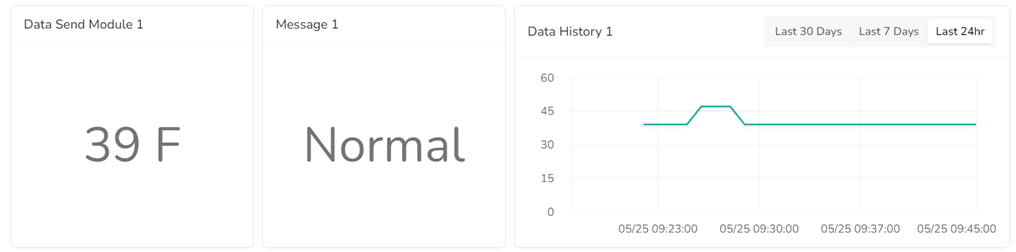
Every couple of seconds, the module sends the latest values to the AV-Ops Center server.
All user editable fields may be updated while online, including from SymVue.
The values will be shown on the corresponding AV-Ops Center device overview.
Command Receive
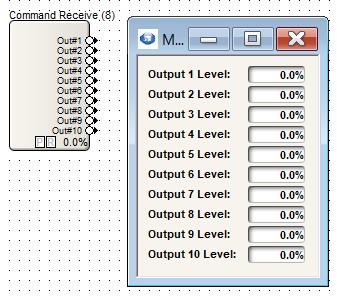
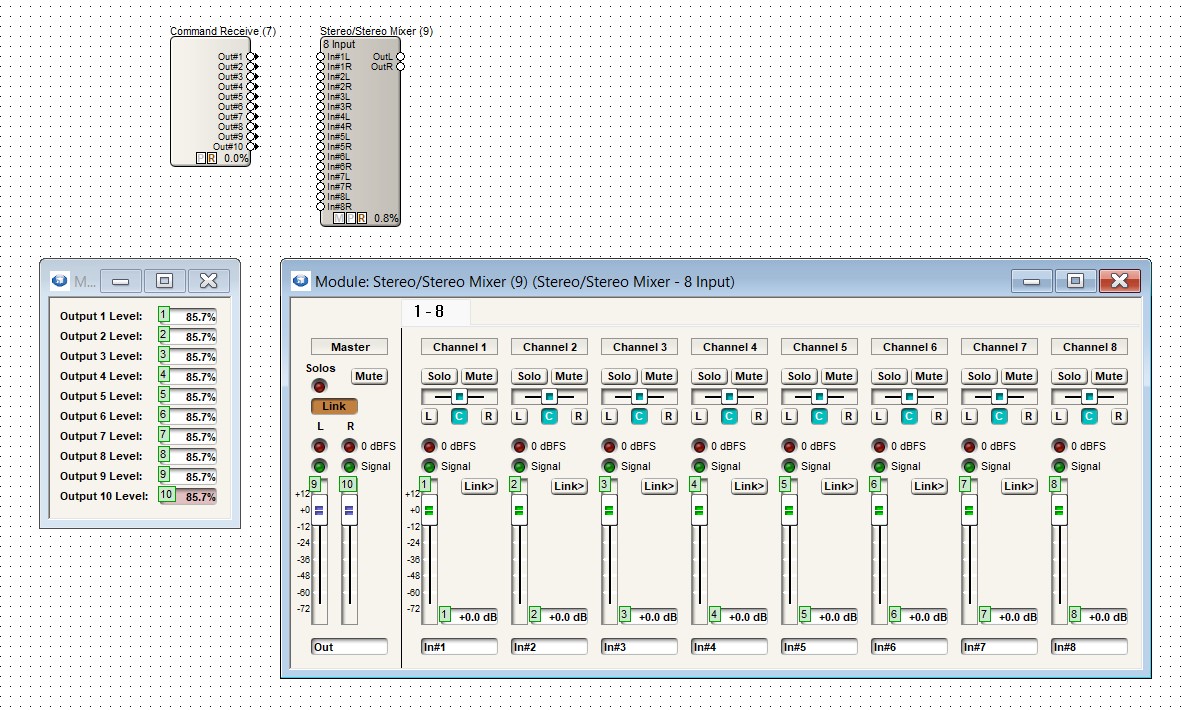
This module allows for up to 10 control signal values to be controlled from AV-Ops Center "Send Custom Command"
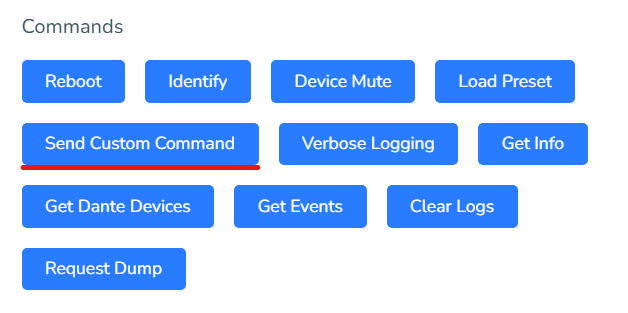
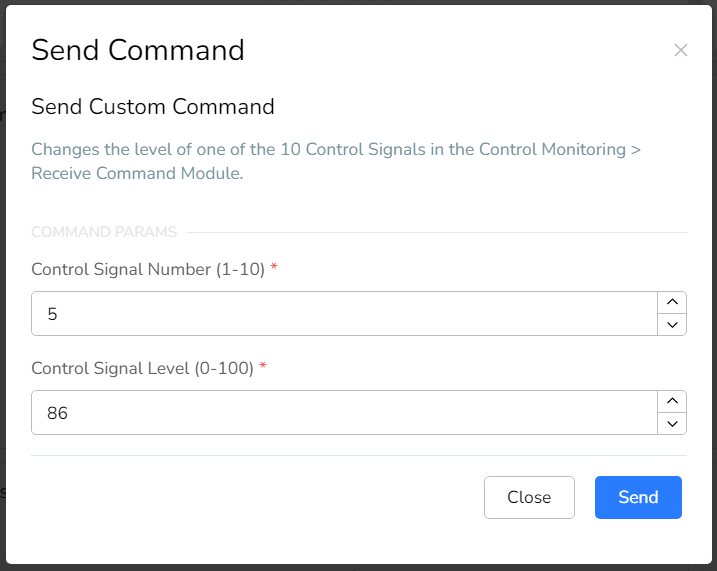
The module acts as a control input module with the ability to overwrite the value with that coming from the server. This is a unique behavior for a control in Composer.
Each signal can be expressed as an integer-value from 0-100% and the current value is shown in the module. The DSP module updates the current value shown every couple of seconds.
The entire module view can be in a SymVue control screen.
The output pins can be connected to other control pins or the numeric readout can be assigned to the same control number as another control. This allows for override control remotely, combined with local control.