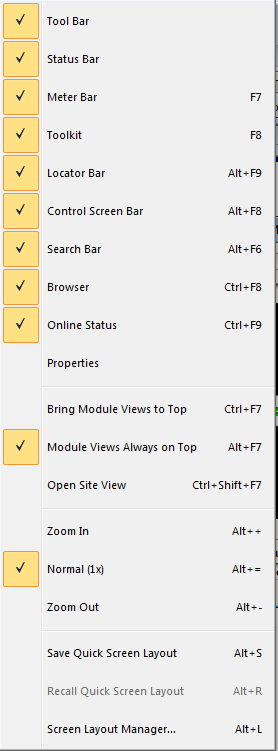
View Menu
The View menu shows or hides the tool bars, pallets, and manages screen layouts in Composer.
- Tool Bar
- Status Bar
- Meter Bar
- Toolkit
- Locator Bar
- Control Screen Bar
- Search Bar
- Browser
- On-line Status
- Properties
- Bring Module Views to Top - Brings all open modules to the foreground.
- Module Views Always on Top - Module views will always be in the foreground.
- Zoom In - Expands objects in the Site or Design View to twice normal size.
- Normal (1x) - Returns the Site or Design View to normal (default) zoom level.
- Zoom Out - Contracts objects in the Site or Design View to half of normal size.
- Open Site View - Brings the Site View to focus.
- Save Quick Screen Layout - Saves the currently open Site, Design and DSP Modules windows' positions and sizes to the "Quick Layout Buffer".
- Recall Quick Screen Layout - Restores all Site, Design and DSP Modules windows' positions and sizes as stored by the Save Quick Screen Layout function above.
- Screen Layout Manager