Switch (Control Voltage) Programming
Configuring External Control Inputs
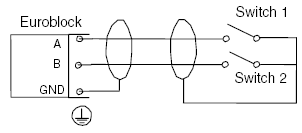
Switches or control voltages may be used to trigger a mute, recall a preset, receive a closure from a life safety system, etc. Switches or control voltages up to 15 VDC connect to the External Control Inputs (a maximum of two per input) in the example shown below:
Configuring External Control Inputs
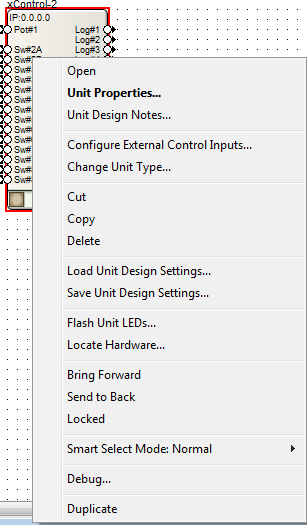
After making the physical connections, configure the External Control Inputs for use with switches by right-clicking on the xControl in Design View and select "Configure External Control Inputs...":
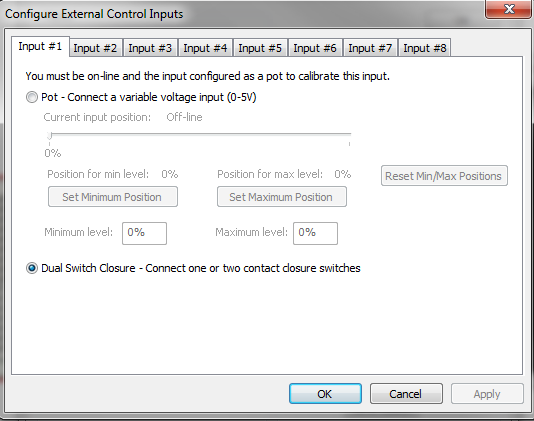
To configure the input for use with a switch, select the appropriate input tab, and then select the "Dual Switch Closure - Connect one or two contact closure switches" radio button. (The connection defaults to Dual Switch Closure). Select "OK" when finished.
Assigning a Parameter
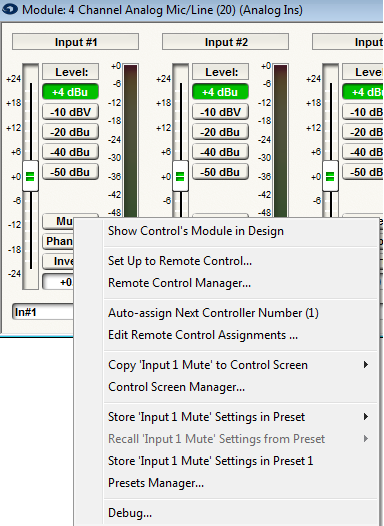
Right-click directly on the parameter and select "Set Up Remote Control."
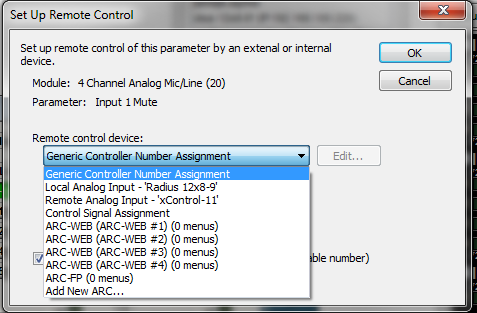
Click the drop down arrow under Remote control device and select "Remote Analog Input - 'xControl'"
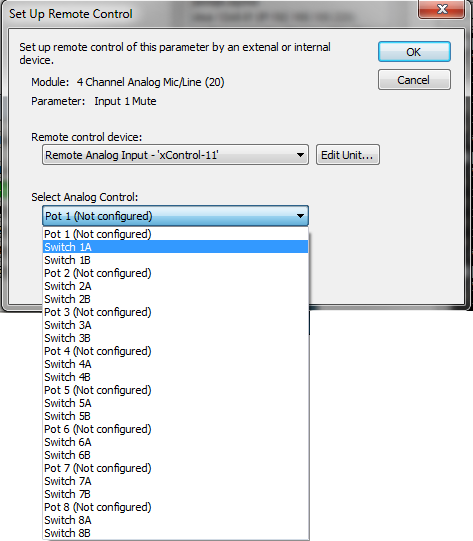
Click the drop down arrow under Select Analog Control and choose the switch that matches the physical wiring on the External Control Input. Select OK when finished.
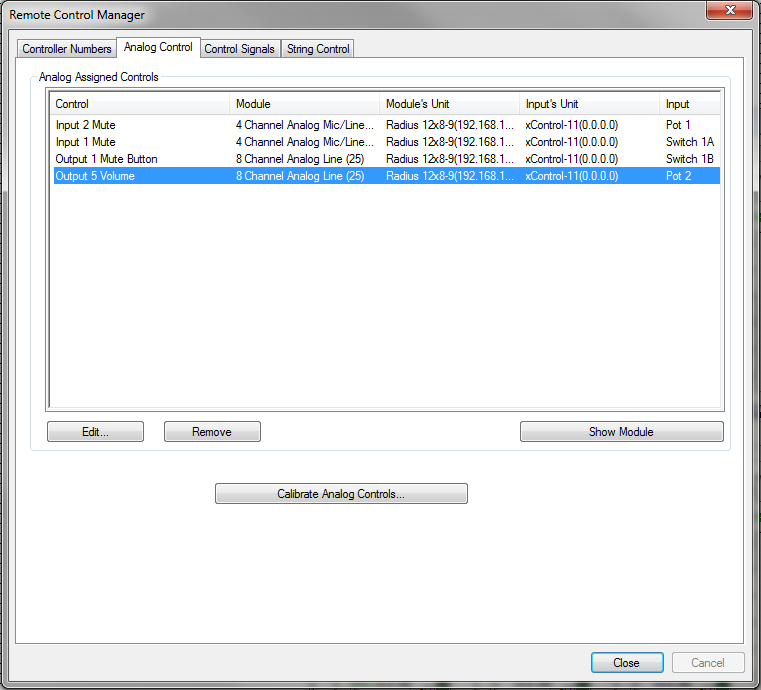
Analog Assigned Controls
To view a list of the Analog Assigned Controls in the Remote Control Manager, select Tools>Remote Control>Manager. Once the Remote Control Manager is open, select the Analog Control Tab. The Analog Control tab displays a list of all the Analog Control Inputs currently assigned to DSP parameters in the Site File. The Analog Control Inputs listed here are the ones physically located on the rear of the units.