Toolkit
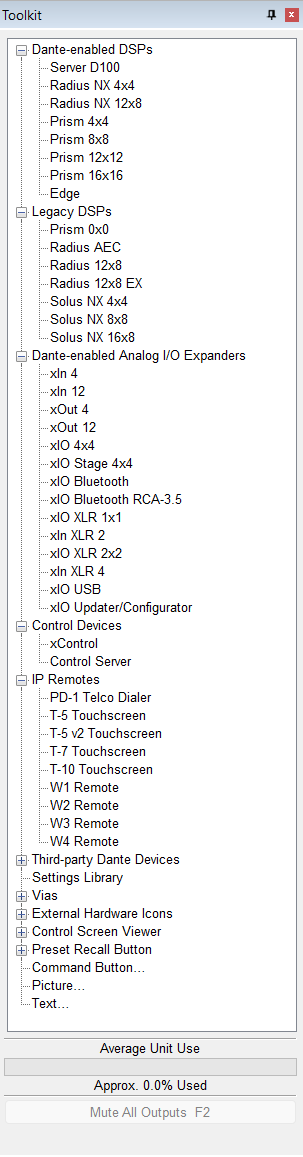
The Toolkit contains all object necessary to create a Site or Design. The Toolkit's contents are contextual based upon the current view in focus (Site, Design, Control Screen, etc.).
In Site View, the Toolkit contains Units, Settings Libraries, External Hardware Icons, Control Screen Viewer buttons, Screen Layout Viewer buttons, Preset Recall Buttons, Command Buttons, Picture objects and Text objects.
In Design View, the Toolkit contains primarily DSP and Logic Modules in addition to the Settings Libraries, External Hardware Icons, Control Screen Viewer buttons, Screen Layout Viewer buttons, Preset Recall Buttons, Command Buttons, Picture objects and Text objects.
In a Control Screen, the Toolkit contains Control Screen Viewer buttons, Preset Recall Button, External Hardware Icons, Command Button, SymVue Logout Button, Exit SymVue Button, Picture and Text objects.
The Toolkit can be docked and resized (when undocked).
At the bottom of the Toolkit is the DSP usage gauge and Mute All Outputs button.