Control Screen Manager
The Control Screen Manager displays all Control Screens in a Site File.
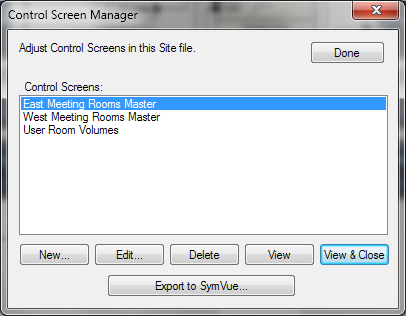
- New... - Creates a new Control Screen. A dialog will appear allowing you to name the Control Screen.
- Edit... - Edits the selected Control Screen's properties.
- Delete - Deletes the selected Control Screen.
- View - Opens the selected Control Screen but leaves the Control Screen Manager open.
- View & Close - Opens the selected Control Screen and closes the Control Screen Manager.
- Export to SymVue... - Launches the SymVue Export Wizard using the selected Control Screen as the Starting Control Screen.