Preset Recall Button
 There are 1000 Preset Recall Buttons in Composer, one button for each of the 1000 Symetrix system presets. Preset Recall Buttons can be dragged and dropped into Site Views, specific unit Design Views, or onto Control Screens. The presets can then be recalled with a simple click of the mouse when online with the Symetrix hardware.
Note: Preset Recall Buttons behave slightly differently in Edit mode. When in Edit mode, Preset Recall Buttons require a double-click to execute. When in Operate mode, they require only a single-click. Edit mode can be toggled via the Tools Menu, with the F9 key or from the Right-click Menu.
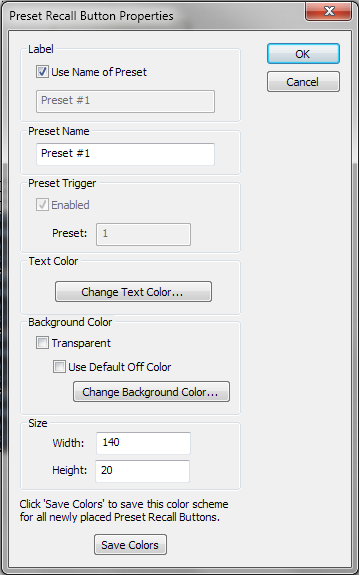
Preset Recall Buttons may assume the Presets's name they are linked to, or by unchecking Use Name of Preset, a user-specified name may be entered in the Label section.
The Text Color on the button can be adjusted and the Background Color made transparent or opaque in a user-specified color.
The Size of the button may be adjusted numerically by manually specifying the Width and Height or graphically by selecting the button and using the shit+arrow keys.
To save your color settings made here as defaults for future Preset Recall Buttons, click the Save Colors button.