Meter
Meter displays a read only value between a range. They are often used for audio signals but can be used for any continuous read only parameter.
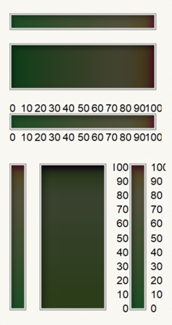
They have the following properties:
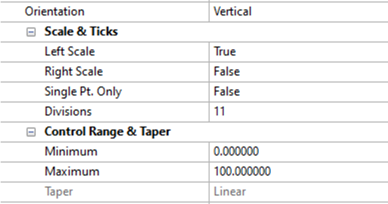
-
Orientation - Specifies the orientation of the meter: horizontal or vertical
-
Scale and Ticks
-
Top Scale/Left Scale - Specifies if the top or left meter scale is visible
-
Bottom Scale/Right Scale - Specifies if the bottom or right meter scale is visible
-
0 Pt. Only (only shown if at least one scale is present) - Specifies if only the “0” value should have a scale mark
-
Divisions (only shown if at least one scale is present) - Specifies the number of scale divisions
-
Control Range and Taper
-
Minimum - Specifies the lower limit of the control value. This will be reflected by the Scale displayed on the side of the meter and in the value the script needs to send.
-
Maximum - Specifies the upper limit of the control value. This will be reflected by the Scale displayed on the side of the meter and in the value the script the script needs to send.
-
Taper - Specifies the Taper for the control as log or linear. Log Taper requires that both minimum and maximum values are greater than zero. This property will be greyed out unless this condition is met. This will be reflected by the Scale displayed on the side of the meter and in the value the script the script needs to send.